Showing posts with label software. Show all posts

How I Solved Wordpress Hacking


About 3 weeks ago when I noticed that some of my websites that are hosted on a single hosting account has been hacked and was inserted by several ad scripts and malwares. I can't just stand there and watch my sites fall.

The hacking was done using brute force and SQL injection. It was so frustrating to see all those hard works to be compromised by these malicious softwares. It cost money to set up these websites. And I also loses money if I won't do anything to solve it.

So here's what I did.

1. I installed a couple of plugins that helps me detect possible weakness and loopholes in my site and secure the site. One of the plugins that I installed also helps me secure my site by limiting and banning IP addresses who tries to brute force my site. I was actually shocked when I got more than a hundred login tries within 12 hours. Thanks to that plugin.

Brute Force Hacking


2. Implement those warnings and instructions on how to lock it. I changed the data base prefixes, and tweaked over the sensitive files where hackers cannot directly write onto it. This avoids SQL injection.

3. Ban IP addresses that were detected. With the auto detection, I can now easily trace IP addresses and ban them permanently over the site.

4. Contact the host. When your site is hacked, sometimes, it is almost impossible for you to clean your site from all those bad files. So you might want to contact your host to scan over your site and delete those malicious files. And that’s what I did.

5. Reinstall a clean version of Wordpress. After cleaning, it is advised to reinstall your Wordpress site so that fresh and clean Wordpress files will be installed. This will also delete hidden scripts that were installed in some of your php files.

Result?

I was able to stop more than 200 hacking attempts overnight. And for 24 hours monitoring, I don’t see too anymore SQL injection activity. I really do hope that I finally get rid of those malware.

Continue Reading

The Best SEO Tools For Your Internet Marketing Needs

What is the BEST Link Building Service? This is the biggest question most new internet marketers. And perhaps you are one of them. So what I have here are the three tools that I have been using so far in building massive amount of backlinks.  These tools are proven tools that works. To give you some of my works:


I did lots of other campaigns using these three tools. So I guess, this is self-explanatory. 


Website                                      Keywords                                 Rank
natureaquariums.org        nature aquariums, nature aquarium     page 1 in Google
thedisciplers.com            sermons on james                             page 1 in Google
                                     family porn blocker                             #1 in Google
                                     Christian discipleship                          page 1 in Google
                                     Gospel Bracelets                                #3 in Google
vdotcalculator.com             vdot calculator                                page 1 in Google
endurancenation.us        triathlon coaching (very competitive      page 2 in Google


Unique Article Wizard – Some users have not be very impressed with this tool But what they don't understand is that, they need to use this tool in the right way. Using it in the right way can definitely give a higher ranking for their campaigns. 


Blog-Blueprint – Don’t get me wrong. There is also another Blog Blueprint on the net. But this one is different. It is one of the products of SEO Blueprints. This is what I have been using in posting articles in blogs that has a high PR ranking. And they are simply great.


Here’s why I recommend this:
- It only publishes 20 articles a day with allowing only 1 link which looks more natural.
- It uses totally different IP addresses.
- It has a unique article detection system that discards your articles if it is a duplicate.
- It is good in creating high PR sites.
If you want to have another tool which can definitely help Blog-Blueprint in one dirt cheap price, go and get the whole package here:SEO Package. With it, you will get 2 additional tools the Article Blueprint and the Link Blueprint.

Bookmarking Demon this is the best bookmarking tool that I ever used. It is just so robust. This tools is simply the best that you can get for a bookmarking tool.  
You have to understand that if you want to get a better count from Google, each page that you make, has to be bookmarked. And when you bookmarked it, then ping it. It's just the way it is. 
The biggest problem however is that, bookmarking can be very tedious so-to-speak.You will get bored to this very redundant work. And imagine if you are making a thousand links, you will have to bookmark them all to many bookmarking sites. 
Bookmarking Demon is the only tool that can help you do that. So don't ever miss this tool. 


For a complete review of this SEO Tools, kindly visit the best link building services  site, www.brandbuildit.com.
Continue Reading

How to Play Angry Birds in Ubuntu

For those of you who are a fan of "Angry Birds" but you are using Linux, fear not... Here's an instruction on you can play it on Ubuntu.

 I know there are many of you who are a fan of Angry Birds. It's actually the next big game after Plants and Zombies! So I do hope you will also enjoy playing it!
Continue Reading

How To Install E-Sword In Ubuntu: A Better, Easier Way

So far, for about a year now in my use of Ubuntu, I really haven't got a realiable Bible Software for Ubuntu in comparison to the famous E-Sword. I tried searching the net for any Bible Software that I can use. There are two that I have found, the Bible Time and the Gnome Sword.
Bible Time has a real good interface as that of the E-sword. My only problem with this is that the Bibles used here are not reliable. I have found several errors in comparison to the printed version. One of my friend said that developers probably copied it manually from the Bible that is why there are lots of typographical errors in it.
Gnome Sword has a more reliable versions of the Bible. My only problem is that, the interface is difficult to dicipher. I feel like I am totally using a different software with totally different format. Furthermore, I find it hard to understand the “how to's....” of Gnome Sword.

My desire is to install E-Sword. The best FREE Bible Software on the net. But how am I going to install this in my Ubuntu when it only function in Windows.
I scanned the net for answers and I only found ONE answer among the blogs I have read. They say that you can install E-Sword using WINE. However, as I tried reading the instructions, it will be very difficult for the non-geeky people to install it. There are several file extentions that you will have to download in order to allow it to run. Furthermore, the reviews are devasting. Some says it runs, but very slow.

Today, I will be presenting another way in installing E-Sword under UBUNTU.

Before we start, let me tell you this, I would say that WINE sucks. It only gives an immediate solutions to light Windows softwares but cannot run heavier ones, not even Chikka, Publisher, and other Window programs.

Let us begin. The main answer to your agony is the use of VIRTUAL BOX. First and foremost, you must install Virtual Box. Virtual Box is a virtual engine where you can install a totally different operating system that will run under UBUNTU. The main advantage of this is that, you can run more programs, without any problem because when you run it, it will just function “JUST LIKE” you have a Window OS.

Though, it still cannot be the ultimate answer for running programs since it still cannot run heavier programs especially the one that uses enormous RAM like games and graphical softwares, still, this is the best that you can have, FAAAAR.... better than WINE.
Installing virtual box is very easy. Just follow this instructions.

  1. Click Application> Add/Remove
  2. In the search box, type in “Virtual Box”
  3. Click the Virtual Box, be sure that it has check on the box.
  4. Click Apply Changes.

Now, that you have Virtual Box you need to install Windows. You need a fully functional Window installer. But before that, be sure that you have the right settings.
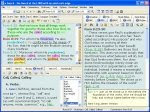
In your installation you will be asked with many questions, it is very simple to answer so that it would not be a big problem. Furthermore, you can always make changes later on.

Let's set up everything first before inserting your CD.
  1. Click Virtual Box OSE
  2. Click Next.
  3. Follow instructions. Type in “Windows” for the name, OS Type “Windows XP”, Base memory 500MB (depend on your will), Video Memory 64 MB (again, it's up to you how much will you allocate). Harddisk, 10 G (automatically expands), CD/DVD Drive installed, Audio ALSA driver.

If everything has been set up, you are now ready to install Windows.
  1. Insert CD/DVD installer.
  2. Click “Windows” (the name of your virtual OS) > Click “Start”
  3. In a short while, you will be brought up to the page as if you are installing a Windows. Follow instructions and the way it go.
  4. After installation, I strongly advise to also download and install the “Install Guest Addition”. It will enhance your usability for Windows. It's a kind of bug fixer, so don't miss it.

Now that you have installed Windows in your virtual drive. All you have to do is to run it under the Virtual Box OSE. Once the window is running, then you can freely install now your E-Sword exactly as if you are installing it in “Real Window” OS.
Some Few Things To Remember

In running Windows with Virtual Box OSE, put it in mind that you are really running windows in a new computer and you have to shut it down properly.

Secondly, the Virtual Box OSE that I am talking about, which is also downloadable using UBUNTU does not come with the auto-detect program for USB. So if you are thinking that you can install something in it using USB, just an info, you CANNOT do it. BUT, there is a way. I haven't tried it yet so far, but you can. Just Google “How to use USB in Virtual Box OSE”. You need to be a little geeky though to succesfully run it.

Another solution for this is to burn your softwares first in a CD/DVD, then insert it to your ROM for it. Virtual Box OSE detects and read it.

Now, I am enjoying UBUNTU a lot better. Why? Because I can now use Chikka, work with Publisher, use E-Sword, play Window based games (the slower ones), etc. using Virtual Box OSE.
Continue Reading

Basic Software Terminologies

Getting help with your computer software can be easier when you know the correct terms to use. One of the biggest problems that new computer users have with technical support is not knowing how to correctly describe the problem that they're having. And it isn't fair to expect a tech support person to automatically know what a "thing-a-ma-jingy," or "whatcha-ma-call-it" is.

The following describes the correct names for common components of software so that when you experience a problem, you can effectively describe an issue that you're having and a technician can readily resolve it.

User interface - this is the visual design of a program. It may contain squares, boxes, words, icons, and buttons. If you're experiencing insufficient memory for example, you might see black rectangles across the user interface of your software programs.

Title bar - this is the top-most part of a program that displays its own name or it may describe the contents displayed in another part of the interface. If a program is incorrectly coded, you may see a wrong description in this part of its interface.

Menu bar - this part of a program displays menu items and menu options. Some of the most common parts of a menu bar grants access to File commands, Open commands, Save commands, and Print commands. An example of an error in this part of an interface would be if an option was missing or grayed out (lighter in color).

Tool bar - this part of a program displays small icons across the top which represent tools. Clicking an icon will open a tool or process a command that might also exist on a program's menu bar. Problems in this part of an interface are uncommon, however if you find yourself repeatedly clicking an icon with no results, you can correctly describe the problem by referring to the toolbar.

Minimize, Restore, and Exit buttons - these three buttons are usually located on the right-most upper part of a program's interface and each allow you to minimize a program's screen, restore it to its original size, or shut down the program completely.

Scroll bar - this convenient tool allows users to move data up and down the computer screen.

Status bar - this part of a program is located at the bottom-most part of its interface, and it usually displays small messages that indicate the progress of a command or task. If programmed incorrectly, an application might display the wrong information in this area.

Context menu - like the menu bar, a context menu displays when a user right-clicks on something. It displays commands just like what you see on a File menu or a Help menu.

Input box - input boxes are usually small rectangles that allow you to type data into a simple interfaces like a webpage or browser window. If you find that you can't type information into one of these, you can effectively resolve the issue with a technician by calling it an input box, rather than a "white rectangle," or "place to put in text."

Button - buttons perform a command after a user clicks them with a mouse. Problems occur when the text of a button is grayed out or if it doesn't appear to sink into the screen when clicked.

Check box - a check box is a small box that allows a user to indicate several choices among many. When clicked, a small "x" displays inside a box. Similar to the check box, a radio button allows a user to indicate a single choice among many. Problems with radio buttons and check boxes occur when a user makes one choice, but the interface reacts as if the user made many choices (or none at all). When describing a problem to a technician, be sure to indicate whether the problem occurs with a check box or a radio box. Computer novices mistakenly interchange the names of both of these controls.

I just hope that these short list of Software Terminologies will be a good help in understanding your software.
Continue Reading

What Is Batch File And How Does It Work?

If you're familiar with MS-DOS at all, you'll recall that it's a command-driven operating system that performs functions issued at the C:> prompt. The only way to get an MS-DOS computer to do something was to type a command at this prompt and if you can imagine, it was a rather cumbersome way to use a computer.

As an example, to load up Microsoft's simple editing program, you had to type the name of the drive that the program was on, the directory that the program was in, and then the name of the program. So if Microsoft Edit was in a directory or folder named "Process," you could start the program by typing, "C:>process\edit.com" Then, and only then would the program load up for use.

This is a small command, but just imagine if you had a program that was deeply nested within a series of folder. You could end up typing a command as wide as your computer screen or worse, long enough that the entire command would have to wrap onto the next line! Now imagine having to type these long commands every time that you wanted to start a program. Yikes!

That's one of the reasons why batch files became so popular. Batch files are small text-based documents that contain a bunch of these commands on their own lines. When executed, they would process each command without the user having to type each and every one of them.

When Windows was developed, the need for typing commands was essentially eradicated thanks to the introduction of the point-and-click (mouse) interface. But this didn't stop the batch file fever that started under MS-DOS - and in some small circles, batch files are still as popular as they were in the beginning.

Even though you may use Windows XP or Vista, batch files can save you tons of time by automatically starting multiple programs and performing different tasks at the single click of a button. They don't require any extensive programming background and they don't need to be encrypted with some weird, expensive compiler. Batch files are plain text files, and you can build one for your own personal use with Windows' Notepad.

You could make a batch file that loads up your favorite websites at once for example, or you could make a batch file that fills your desktop with the most important applications for the day. To do so only requires a little knowledge about the locations of these applications.

Let's say that every day we need to load up the Yahoo web browser, Microsoft Word, and then the calculator that comes with Windows. Instead of doing this by hand, we could write a batch file to do it for us.

First, we'd load up Notepad and type in the following:

START "http://www.yahoo.com"
START "c:/program files/microsoft office/office/winword.exe"
START "c:/windows/calc.exe"

We would then save this data into a file named, "mytasks.bat" onto the Desktop for easy access. Each time we double-clicked on this file, the Yahoo website would load up, Microsoft Word would start, and the simple calculator would pop up.

Since we want these programs to load every day, we could create a shortcut to this file and then place the shortcut inside our computer's Start Up folder. That way, these three programs would load every time we turn on the computer. If you wanted these programs to start minimized, you could type the following into a batch file instead:

START http://www.yahoo.com /m
START "c:/program files/microsoft office/office/winword.exe" /m
START "c:/windows/calc.exe" /m

This will run all three programs as before, however the "/m" parameter will minimize them so that they don't clutter up the desktop.

Other people have found much more creative and effective ways to use batch files, but the important thing is that you know they're a resource you can use to save a few seconds or minutes in performing important tasks. We've come a long way from MS-DOS, but it's still a valuable source of automation that anyone can use with no programming knowledge at all.
Continue Reading

Ultimate Plugin Smart Update Pinger Review

I've been using wordpress in one of my blogs. I came to know the UPSUP from one of the blog gurus that highly recommends it for it does the pinging automatically and solving one of the pinging bugs in the default wordpress. And this plugin is really cool and it does a lot of help.

However, after a good deal of time observing this plugin, I found out that it has some detrimental effects especially if your wordpress blog is being hosted in a shared server. Ultimate Plugin Smart Update Pinger really slows down the posting time and consume a large amount of CPU effort which sometime causes server to crash.

In my personal experience, I had my site suspended for having a CPU spike of 140++ while posting. The tech support guy told me that it was really necessary for my site to be suspended for it may cause damage to other sites in the same server. Shew.... and that caused me a two-day downtime. They made investigation if my site has been hacked, or was caused by some scripts, or if I made some deceiving modifications.

So I told them that they have to reactivate my site so that I can deactivate some plugins including the UPSUP. It is because in my observation, if UPSUP is active, my posting time takes me up to 20-30 seconds before it makes a post. After deactivating it, I only now have about 5-8 seconds of posting time.

Well, here's the thing. I admit that UPSUP is such a great plugin. But definitely it slows down your site which may also cause you being banned from your hosts. My advice, if you are using it on a dedicated server, go on then. But if you are only paying a small amount of money in exchange for a shared hosting, then better to look for another plugin.
Continue Reading

The Best Hosting Company in the Philippines

I've just finished transferring to a new hosting service company locally here in the Philippines. And I just want to share my experience with this hosting service provider and give a commendation for their exemplary customer service.

web.com.ph
has been operating now for several years and has build up a pretty good reputation of delivering a very good service. Here are just some of the things that convinced me in giving this commendation:

1. Real Cheap. If you are looking for a real cheap hosting company, I believe that this hosting company has been giving one of the cheapest offers that you can find in the Philippines. Considering their performance and support, I believe that they even have over delivered what you have paid for.

We are already used to the saying, “You'll get what you paid for”, but this is not true with this hosting company, “You'll get MORE than what you paid for.”

2. EXCELLENT Customer Service – This is where I got most excited with this hosting company. With my desire to transfer my website to a better hosting service provider, I tried searching the net for local hosting companies that can really deliver what I need. I have inquired several hosting companies and some of them replied after a few days. I kept on searching until I came across www.web.com.ph and to my surprise, they have a real online support.

I already have seen several hosting companies that offers online support, but when you check them, they are most of the time offline. But unlike this one, they are online most of the time. And even if you have an urgent inquiry about your account with them, they will try their best to respond to your email to see to it that you are not left in limbo.

One time it's holiday and I am really having a problem with my site. So I tried to email the tech support hoping that they will answer after two days because of a long holiday. To my surprise, an answer came in to my inbox after 3 hours, in the midst of holiday. And guess what who responded? The owner of web.com.ph himself.

3. Best Hosting Plans – I think they have the best hosting plans. As for me, I took the Standard hosting plan which gives me 1GB space, 20GB Bandwith, unlimited subdomains and email accounts and many more. All these for Php 1200.00 (about $25) a year only. Yes it is a shared hosting, but they still have a fast service.

To summarize what I am saying, here's their press release video:

Continue Reading

Some of the Latest Gadgets

First, the Keyboard. A highly sophisticated laser keyboard is on the roll now. It is composed of two sets of lasers. The upper one sets up your keboard once you click it on, and the other one in the lower portion of the gadget senses the lights of your keyboard. Once you stroke a key, it automatically signals the computer that you just pressed that certain key.


Second is the hand scanner. I was amazed when I saw this video. This is the first time that I saw a hand held scanner. It is just about as thick as ballpen, but about 8.5 inches long. All you have to do is to put the document in a flat surface. And from the top, you place the scanner and just allow it to pass through the document and that's it. Your document as been automatically saved in the scanner's memory which you can connect to your computer.

Third, the ebookreader. Today, ebooks is what's in now. I am not saying that printed books are going out of the market, but what I am saying is that ebooks now are digital format of books now. These ebook reader can store up your ebooks. Instead of bringing huge heavy books, if you have it in digital format, you can carry your whole library in just a notebook size, notebook weight ebook reader. Amazing isn't it?
Continue Reading

How To Activate All Messengers At The Same Time


Do you have multiple Internet Messengers like Yahoo, Gmail, AIM, etc all at the same time? If you do, isn't it too hastle to login to all of them one at a time just to check if your friend is online?

There's an answer to this hastle. I just discovered this great feature, so better listen carefully.

You can integrate all your Internet Messengers all at the same time. How? You can do this by using the messenger client called Pidgin. All you have to do is to install it in your computer. After installation, you just have to create all your accounts from different messengers once.

Once you log in and start using it, you can automatically check all your contacts from different messengers.

You can download this great software here: http://www.pidgin.im/download/windows/

Note: Please do note that Pidgin does not have a webcam nor audio features. This means that you cannot use your webcams and webmics when using this software. This is the only disadvantage for this program. Other than this, Pidgin is definitely great.
Continue Reading

How To Repair XP


The answer obviously depends on what is wrong with your XP. There are lots of factors that are involve before we can safely say the right way to repair your XP operating system. Some factors are caused by hardware while some are caused by software bugs.


Taking away the hardware factors, let us focus on software factors. I just recently discovered this site that offers a repair of your XP. It is not free, but its worth a try since most of us are not techie. If you are willing to pay the price, then this can be a good solution.


Reimage is offering its one of a kind pc repair technology to the general public. They claim that they can repair most XP bugs and other XP problems. Here are just some of the many things that it can repair:


  • Computer doesn't hibernate

  • Windows pop up message: “Task manager has been disabled by your administrator”

  • IP Config makes computer hang

  • Antivirus 2009/2008 cannot be uninstalled.

  • Antivirus 2009.2008 wallpaper hijack

  • Clicking Internet Explorer creates another short cut instead of opening the browser

  • etc. CLICK HERE.


The big set back of this software is its price. It cost around $65-79. I think this is too expensive for an outdated, faced out software.


With the big turn of our economy, I think it is still better to repair it yourself by spending a little time for personal research over the net. Not only that you will learn a lot, but it is also a way lot cheaper than to pay a third party repair technicians. But if you have no time for research and have lots of reserve money, then perhaps this is a good investment to protect your important files stored in your computer.
Continue Reading

Chikka Probably Not Compatible With Ubuntu

I tried installing Chikka Messenger in my Ubuntu using WINE. Downloading the files is never a problem. I installed it perfectly. To my dismay, all other parts of the installed new software are running perfectly except the Chikka Messenger itself.

I really do not know the issues behind the program. But Chikka is suppose to be a very light program that can easily be run through WINE. But the fact is, it won't work in my Acer Aspire 4330 with Ubuntu. I am not making a conclusion that Chikka can not be run inside Ubuntu, but it is PROBABLY incompatible with Ubuntu.

I would love to try Yahoo Messenger soon. So watch for my updates.

Chikka Messenger is a messenger used for FREE Cellphone Texting. This is a great program that will really save your load in your cellphones. This software run in Windows.
Continue Reading

Send Money Through Friendster

Good news for all Filipino Friendster fanatics. You can easily do money transfer through Friendster via Gcash. With partnership with GXI, online money transfer has never been that convenient and reliable.


For a very minimal charge of 2.50 per transaction, if you are a Friendster member, you can easily send Gcash to any of your friends in Friendster. You can do this by simply viewing the profile of your friend, the recipient of your money transfer, click the Gcash button after specifying the amount. For security and authenticity, an automatic text message will be sent to your Globe or TM SIM.


In this way, Friendster will be more mircro-ecommerce social website similar to Multiply. This will encourage Friendster users to be more business minded than to waste time in simply chatting and surfing their friend's profiles. This is good especially now that the economy is down.

Continue Reading

Google Chrome Preview


Before I forget, here's the picture of what Google Chrome looks like. It is sleek yet very simple browser that will rock your web surfing experience.

For Mac and Linux users, wait for a while. It will not take long for Google to release their issue for you. They are working hard in integrating Firefox coding with Google Chrome. I myself is already excited to use this new simple, but powerful browser.
Continue Reading

A FileZilla Problem With Ubuntu

For all the FTP software that I was able to use, I would say that Filezilla is one of the best.

However, if you are using Filezilla in Ubuntu, there might be a little problem. Until now I haven’t solve this problem. If for example you are going to edit a php file, in windows, you can simply right click it and click edit.

However in ubuntu, when you right click it and click edit, you will be asked to set the editor, in which case, gedit is Ubuntu’s default text editor. And then you will be asked to browse the “exe” file command…. and my biggest problem is, where in the world will I look for that “exe” file command? I don’t know. Perhaps, you can try searching it and let me know about it.

Please do note that I don’t have any problem in using Filezilla in my windows because it sets the default file editor automatically, the Notepad.

Before I end, Filezilla by the way is TOTALLY FREE and FULLY FUNCTIONAL, NOT TRIAL, FTP Software.

If you have any answer, please let me know, post it below. Thanks!!!

Continue Reading

Unlock Your iPhone 3G

If you are a Filipino user or someone who has a problem with your use of 3G, guess what, this post is probably for you. Please do check this link: "Yellow Snow"

Please note however that Yellow Snow works with latest iPhone 3G firmware (02.28.00). If you only have a model not later than 2.2, just check the iTunes first before unlocking.

Furthermore, you will need to jailbreak your iPhone before following the procedure in Yellow Snow.

Very important note: There is an initial report that close to half of the unlockers where not able to make it. So I guess you have to be more careful in unlocking your iPhones.

Source: www.yugatech.com
Continue Reading

SBI Hosting Bargain

Great News!!! This is for Website Makers, web masters, someone who is looking for a TOTALLY BARGAIN web hosting in it's highest quality. The Site Build It is selling its hosting services right now for BUY ONE GET 1 FREE....

This means when you pay hosting services from them, you'll get another one FREE.

If you are really into business and wants to dominate through out the web, then I strongly suggest that you get SITE BUILD IT. Site Sell is the leading website hosting company that provides quality services for the success of their clients. almost 60% of their clients made it through the net because of their ingenious way of assisting and helping their clients for a REAL LOW LOW PRICE
CLICK HERE FOR COMPARISON OF PRICES AND SERVICES

After you see this great features and have seen the benefits of having your own personal business online, don't just let it pass. Life is rough this time of world wide crisis. Everybody is looking forward to have their own business. Don't make them ahead of you, but BE AHEAD OF THEM.

It's time to build your website that SELLS. Hurry and Grab this opportunity of owning two earning websites. This may also be the best Gift that you can give to your love ones, giving them their own BUSINESS.

CLICK HERE IF YOU WANT TO ORDER NOW.

If you are then not sure and think that this is a bluff... try Site Build It FREE for 30 Days. They will refund you your money if you then decide that Site Build It is not for you.

CLICK HERE TO TRY SITE BUILD IT FOR 30 DAYS

Note: Simply order Site Build It, and you'll have 30 days of trial guaranteed.
Continue Reading

Wordpress Released 2.7

To all wordpress lovers, version 2.7 is already out and ready to be downloaded. You will be surprised with this latest version. It will completely change your admin area. You will have to get to use with the new set up.

By the way, be sure to check first the compatibilities of your plug ins before you upgrade. Some of you plugins may not function well in this latest version. But this is version is very exciting and I really love it.

I would also advise you to download WP Auto-Upgrade plugin and install it before you upgrade your website so that you will save yourself from lots of troubles in upgrading your site.

For WP Auto-Upgrade CLICK HERE


For Wordpress 2.7, Click HERE
Continue Reading

Upgrade to Ubuntu 8.10, Solution to Video Freezing of Acer 4330

Just a very quick update. I just discovered this in my laptop. If you are using Acer 4330 with Ubuntu, and you are having some problems when playing videos like freezing and crashing of your software, upgrading it to 8.10 might be the best solution for now.

I installed 8.04 Hardy Heron on my laptop, but i get this Freezing problem every time I play video files. But now after upgrading, everything now is going smoothly. I can now have a complete use of my laptop.

Get UBUNTU 8.10 Intrepid now and update it.


http://www.ubuntu.com/getubuntu/download
Continue Reading

Acer Aspire 4330 Drivers

Acer Aspire drivers should not be difficult to find in the net. But I just want to give these links to you to make your life a lot easier. Scan through this links if you will find the drivers that you need, and hopefully it will because I downloaded my drivers from these sites too.

Just a note, please read this very carefully.

In installing Vista or XP, please note that some of the drivers may vary if you have installed Vista in comparison to XP. I really don't know why is it like that exactly, but I think it is in the difference of the their OS environment. So be sure to check first what kind of Operating System did you installed.

So here are the useful links that you may want to check.

Intel Drivers - If your Acer Aspire have Intel Chipsets

Atheros - For your wireless LAN if you are using Atheros for your wireless connection.

Acer Aspire 4310-4710 - Click here if you really are looking for a complete set of drivers for your Aspire 4310-4710.

Continue Reading

Related Posts with Thumbnails
 

Site Info

My Web Site Maker University Copyright © 2009 Community is Designed by Bie Blogger Template