I know there are many of you who are a fan of Angry Birds. It's actually the next big game after Plants and Zombies! So I do hope you will also enjoy playing it!
How to Play Angry Birds in Ubuntu
I know there are many of you who are a fan of Angry Birds. It's actually the next big game after Plants and Zombies! So I do hope you will also enjoy playing it!
How To Block Websites To Save Your Love Ones From Filthy Sites
I'm certain you don't want yourself to be tempted looking around filthy online sites, neither your kids end up a prey of pornography internet websites. Securring yourself and your family against those sites needs some measures from you.
There are four major tactics to filter undesirable internet websites:
Alter your browser's setting. If you're using Firefox, Google Chrome, Opera etc, you can find most likely an element there which enables you to prohibit unclean internet websites. All you have to try and do is to locate it. If you are using Firefox, you can do this together with these intructions:
1. Click Edit tab.
2. Click Preferences
3. New window will appear, click Content tab
4. Tick “Block Pop-up Windows”.
5. Click Security tab and tick the following: Warn me when sites try to install add-ons, Block reported attack site, and Block reported web forgeries.
Using this method would not thoroughly wipe out your hope to obstruct porno websites or other filthy websites. However at least, it is your very first line of security against unnecessary pop-ups along with unwanted adult software installations.
The second thing is, add Ad Blocker. Nonetheless I do not highly recommend this because doing so may also keep you from remaining informed of the wished advertisements, however this really is one of preventive approaches to safeguard the kids through unwelcome internet websites.
Granted that you are utilizing Firefox as your browser, this can be by means of:
1. Click Tools tab of your Firefox browser.
2. Click Add-Ons.
3. A new window will appear, click “Get Add-Ons” tab.
4. Search for “AdBlock Plus”.
5. Then refer to the manual that will appear out of your browser.
I've been using this Firefox Add-ons for a long time and the like is definitely efficient. And just before I overlook, it includes the feature of stopping it inside your favorite online websites. First line of defense with harmful commercials, this is actually the primary benefit that you can get from this add-on.
Make use of Mac or Linux Os. You should consider this, most of the securities in browsing preferred and dangerous internet sites lies in the configurations of your softwares in your computer system. I enjoy Windows, it is still one of the best operating systems you can get. However, one important thing I seriously hate with Windows, it is very prone to all kinds of viral strikes that also includes automatic installation of malwares which often many times carry links to porn sites.
With the escalating safety measures, I often recommend that you employ either Linux or Mac. I am not saying though that they are 100% secure. These are susceptible to attacks as well but they are far more risk-free than Windows. The most important obstacle is your adjustment when you change to Linux or Mac. It can be like understanding the concepts of another equipment.
But there's an effective way to eliminate the weakness of Windows. You can use an anti-virus, anti-spam, anti-malware, and all other software program securities. That's fine. The best thing about it is that most security softwares available for sale are Microsoft windows based. The drawback is based on the purchase price and decrease of your Computer performance.
Utilize Porn Blocker. Porn blockers are usually software packages specifically designed and program to block adult internet sites from popping up, and showing up. If we are discussing mature websites, these kind of software programs are the most useful to possess.
Currently, it does not simply block porn websites but also websites that have adult subjects. And this could be the least difficult and most effective way to secure your laptop from unhealthy internet sites.
It's time to block websites now. Block those filthy sites and protect your children!!!
Why Change To UBUNTU?
Why Do We Need To Change To Ubuntu?
A friend of mine has a window 7, and he said window 7 still have lots of bugs and is hard to find suitable drivers for it.
If you are really looking for a fully licensed, fully functional operating system for your office, I strongly suggest that you switch to Linux particularly Ubuntu.
Here's the common reasons why people are hesitant to change to ubuntu:
- They cannot use their Window based softwares particularly games, and in our case as ministers, Bible softwares. But then again, I already have discovered a solution on this as I have posted in my tech blog.
- They cannot use the "Web Cam-Audio" feature of their laptop. This is because Ubuntu hass no "Client Messenger" that really supports this. But when it comes to messenger, there is completely no problem. This is also the only negative feedback that I can say against UBUNTU.
- They are already satisfied with what they have learned at first. Changing to UBUNTU is like changing a cellphone. You will have to get used to the arrangement of buttons, words used inside the system, etc.
But they are almost the same basically. It's just you need to get used to it. Once you get used to it, you will really enjoy it.
Reasons Why Change To UBUNTU
- Ubuntu is simply more secure than that of Windows. I am not saying that it is a hacker free OS, but simply more secure.
- Does not require tremendous amount of RAM. If you have a laptop about 2 years old, that has 80G HDD, 512MB RAM, you can still run the latest edition of UBUNTU, but these cannot run ViSTA and windows 7. In short, it has a very low requirement.
- Ubuntu is 99% Virus Free. It's not 100% because there are some virus that exists in linux world, but it is very rare.
- More stable. In my personal experience for almost a year of having ubuntu in my laptop, I really didn't have problem of slow down despite of the fact that I am already using 75% of my total hard drive. Try that in windows and it will take eternity for you just to boot up.
- COMPLETELY FREE. Are you a minister or a pastor? If you are, are you using pirated software of windows? If you do, then here is a replacement, completely free, completely legal. Why don't you change?
It's a step of faith to change in UBUNTU if you are already used with Windows. Hehehe... Hope this can be a blessing!!!
How To Install E-Sword In Ubuntu: A Better, Easier Way
Bible Time has a real good interface as that of the E-sword. My only problem with this is that the Bibles used here are not reliable. I have found several errors in comparison to the printed version. One of my friend said that developers probably copied it manually from the Bible that is why there are lots of typographical errors in it.
Gnome Sword has a more reliable versions of the Bible. My only problem is that, the interface is difficult to dicipher. I feel like I am totally using a different software with totally different format. Furthermore, I find it hard to understand the “how to's....” of Gnome Sword.
My desire is to install E-Sword. The best FREE Bible Software on the net. But how am I going to install this in my Ubuntu when it only function in Windows.
I scanned the net for answers and I only found ONE answer among the blogs I have read. They say that you can install E-Sword using WINE. However, as I tried reading the instructions, it will be very difficult for the non-geeky people to install it. There are several file extentions that you will have to download in order to allow it to run. Furthermore, the reviews are devasting. Some says it runs, but very slow.Today, I will be presenting another way in installing E-Sword under UBUNTU.
Before we start, let me tell you this, I would say that WINE sucks. It only gives an immediate solutions to light Windows softwares but cannot run heavier ones, not even Chikka, Publisher, and other Window programs.
Let us begin. The main answer to your agony is the use of VIRTUAL BOX. First and foremost, you must install Virtual Box. Virtual Box is a virtual engine where you can install a totally different operating system that will run under UBUNTU. The main advantage of this is that, you can run more programs, without any problem because when you run it, it will just function “JUST LIKE” you have a Window OS.
Though, it still cannot be the ultimate answer for running programs since it still cannot run heavier programs especially the one that uses enormous RAM like games and graphical softwares, still, this is the best that you can have, FAAAAR.... better than WINE.
Installing virtual box is very easy. Just follow this instructions.
- Click Application> Add/Remove
- In the search box, type in “Virtual Box”
- Click the Virtual Box, be sure that it has check on the box.
- Click Apply Changes.
Now, that you have Virtual Box you need to install Windows. You need a fully functional Window installer. But before that, be sure that you have the right settings.
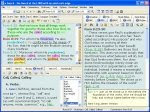
In your installation you will be asked with many questions, it is very simple to answer so that it would not be a big problem. Furthermore, you can always make changes later on.Let's set up everything first before inserting your CD.
- Click Virtual Box OSE
- Click Next.
- Follow instructions. Type in “Windows” for the name, OS Type “Windows XP”, Base memory 500MB (depend on your will), Video Memory 64 MB (again, it's up to you how much will you allocate). Harddisk, 10 G (automatically expands), CD/DVD Drive installed, Audio ALSA driver.
If everything has been set up, you are now ready to install Windows.
- Insert CD/DVD installer.
- Click “Windows” (the name of your virtual OS) > Click “Start”
- In a short while, you will be brought up to the page as if you are installing a Windows. Follow instructions and the way it go.
- After installation, I strongly advise to also download and install the “Install Guest Addition”. It will enhance your usability for Windows. It's a kind of bug fixer, so don't miss it.
Now that you have installed Windows in your virtual drive. All you have to do is to run it under the Virtual Box OSE. Once the window is running, then you can freely install now your E-Sword exactly as if you are installing it in “Real Window” OS.
Some Few Things To Remember
In running Windows with Virtual Box OSE, put it in mind that you are really running windows in a new computer and you have to shut it down properly.
Secondly, the Virtual Box OSE that I am talking about, which is also downloadable using UBUNTU does not come with the auto-detect program for USB. So if you are thinking that you can install something in it using USB, just an info, you CANNOT do it. BUT, there is a way. I haven't tried it yet so far, but you can. Just Google “How to use USB in Virtual Box OSE”. You need to be a little geeky though to succesfully run it.
Another solution for this is to burn your softwares first in a CD/DVD, then insert it to your ROM for it. Virtual Box OSE detects and read it.
Now, I am enjoying UBUNTU a lot better. Why? Because I can now use Chikka, work with Publisher, use E-Sword, play Window based games (the slower ones), etc. using Virtual Box OSE.
Ubuntu 9.04 Released: A Preview to The Improvements
Before we go to some important improvement, to those who do not know Ubuntu, Ubuntu is a TOTALLY FREE Linux Operating System which is one of the best the you can have out there. So if you are running Windows, it is similar to it in the sense that it is also an operating system, but totally different in its operational environment.
Ok, the improvements. Here are some of the notable improvements as mentioned to the video clip below.
1. Braseo Disc Burning - They just arranged it in a way that is very user friendly.
2. Computer Janitor - The new clean up program which Ubuntu 8.04 and 8.10 doesn't have.
3. New Themes and New Wallpapers.
4. Fonts have been improved.
5. Shut down times has been improved.
6. Open Office - The Open Office is now in version 3 unlike in Ubuntu 8, the default is still in version 2.4.
I think this is all that I can take note of. I suggest you watch the clip below to it for yourself.
For your information, I strongly recommend UBUNTU if your computer is dedicated to office use. It is far more stable than Windows and has been highly improved since the first time it came out. And the best of all, it is almost virus free.
A Google Earth Feedback
What's with Google Earth?
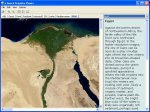
Not only that you can see any location in the world via satellite imagery, you can also see the historical imagery of certain places in the world. You can also explore the ocean floor and discover lots of things in it.
Some Issues That You May Face When You Use Ubuntu
To my dismay however, I have some issues concerning Google Earth. I am using Ubuntu Intrepid Linux on an Acer Aspire 4330 Laptop.
They say that this works in Ubuntu, but in my experience, it doesn't work that well. The graphics is too choppy and its like huge pixilize imagery. Sometimes it even crashes and cannot be played.
I don't know if I missed something from the system requirement of Linux below. If ever I did, I do hope someone will be able to explain me.
Minimum:
Kernel: 2.4 or later
glibc: 2.3.2 w/ NPTL or later
XFree86-4.0 or x.org R6.7 or later
CPU: Pentium 3, 500Mhz
System Memory (RAM): 256MB
Hard Disk: 400MB free space
Network Speed: 128 Kbits/sec
Graphics Card: 3D-capable with 16MB of VRAM - Screen: 1024x768, "16-bit High Color" screen
Recommended:
Kernel 2.6 or later
glibc 2.3.5 w/ NPTL or later
x.org R6.7 or later
System Memory (RAM): 512MB
Hard Disk: 2GB free space
Network Speed: 768 Kbits/sec
Graphics Card: 3D-capable with 32MB of VRAM
Screen: 1280x1024, 32 bit color
Tested on Ubuntu version 6.06, but certainly works on others.
A FileZilla Problem With Ubuntu
However, if you are using Filezilla in Ubuntu, there might be a little problem. Until now I haven’t solve this problem. If for example you are going to edit a php file, in windows, you can simply right click it and click edit.
However in ubuntu, when you right click it and click edit, you will be asked to set the editor, in which case, gedit is Ubuntu’s default text editor. And then you will be asked to browse the “exe” file command…. and my biggest problem is, where in the world will I look for that “exe” file command? I don’t know. Perhaps, you can try searching it and let me know about it.
Please do note that I don’t have any problem in using Filezilla in my windows because it sets the default file editor automatically, the Notepad.
Before I end, Filezilla by the way is TOTALLY FREE and FULLY FUNCTIONAL, NOT TRIAL, FTP Software.
If you have any answer, please let me know, post it below. Thanks!!!
Gparted Compatible With Acer 4330
Here's a simple procedure:
First, download the Gparted from Source Forge. It is about 95 MB which means that it may take a while in downloading it.
Next is to burn the CD image that you just have downloaded in a CD. Do not burn it merely as a data file, burn the CD image so that you'll get the files rightly embeded in your CD.
Then reboot in that CD. To do this, you need to go back to your CMOS (just before booting, press F2. For other laptops, you can enter your CMOS by pressing Delete. Please do note thatt different laptops may have different keys in entering CMOS) and set your priority booting to your CD/DVD drive. Save and exit then restart your system. This time, it should reboot on your Gparted CD.
Once it booted, be sure to choose choice 2 for you to be able to eject the CD after booting. Then it will continue to load the rest of the files. After booting in your CD, everything should be self-explanatory. It is much simpler than partitioning windows.
Please note that once you hit the "Apply" you are ready to partition your hard drive and it may take a while to finish it.
After doing so, eject the CD, reboot again and go back to your CMOS, then reset your priority boot to your hard drive. If you have done it correctly, you should see another partition of your hard drive when you click "Places" in your Menu Tab.
UBUNTU Desktop Effects
One of the best thing that you have to know about UBUNTU desktop is the Compiz or also known as the "compositing manager". It gives your desktop animation effects, and the "cube" thing that you haven't seen in your windows.
If you are familiar with the cube (Beryl) in Ubuntu and is looking for it, it is combined now with the compiz.
If you are interested to try ubuntu, why not download it from www.ubuntu.org. If you are using windows and you feel that you are not yet ready to abandon windows, you can install ubuntu just like the ordinary softwares embedded in your windows. If you won't like it, you can simply uninstall it. But I do encourage you to try.
If you have installed it, click here for more information about ubuntu desktop effects.
Is UBUNTU a good OS for MSI U115?
This is just a guess. I think it will still run since UBUNTU is already available on flash drives. If it is, they are using almost the same technology with SSD, there is no reason therefore why it won't work.
I must admit though that further test should be taken if this new "hybrid storage" will be compatible with Ubuntu.
Ubuntu Theme Sites
I do hope you'll get what you want to improve your themes.
http://ubuntu.hamdi.web.id/
http://www.gnome-look.org/content/show.php?content=32768
http://www.freesoftwaremagazine.com/articles/change_ubuntu_look?page=0%2C0
http://www.berryreview.com/2008/12/04/free-ubuntu-theme-for-the-blackberry-bold/
http://ijafri.com/2008/11/25/awesome-ubuntu-themes-free-download/
These sites really have the best collections of UBUNTU Themes.
Solving Update Error of Ubuntu in Acer 4330
If you are using Ubuntu, there will be times that you will receive errors like this while you are updating:
GPG error: http://archive.ubuntu.com hardy-updates Release: The following signatures were invalid: BADSIG 40976EAF437D05B5 Ubuntu Archive Automatic Signing KeyFailed to fetch http://archive.ubuntu.com/ubuntu/dis...6/Packages.bz2 Hash Sum mismatch
Some index files failed to download, they have been ignored, or old ones used instead
This is sometimes caused by your last update where the cache of your computer has not been cleared. In order to still get the updates, here is a possible solution that might solve this error:
sudo apt-get update -o Acquire::http::No-Cache=True
Then you can type in more update commands such as these:
sudo apt-get clean && sudo apt-get update && sudo apt-get upgrade
By the way, just want to remind you that these codes are entered using the terminal, "the command prompt" of Ubuntu.
The terminal is located in Applications>Accessories>Terminal
There you have it!!! Hopefully it will solve the errors you are getting.
Acer Aspire 4330 Drivers
Just a note, please read this very carefully.
In installing Vista or XP, please note that some of the drivers may vary if you have installed Vista in comparison to XP. I really don't know why is it like that exactly, but I think it is in the difference of the their OS environment. So be sure to check first what kind of Operating System did you installed.
So here are the useful links that you may want to check.
Intel Drivers - If your Acer Aspire have Intel Chipsets
Atheros - For your wireless LAN if you are using Atheros for your wireless connection.
Acer Aspire 4310-4710 - Click here if you really are looking for a complete set of drivers for your Aspire 4310-4710.
Review For Dell Inspiron 8200 Laptop For Ubuntu
CPU: P4m 2Ghz (stock)
RAM: 512Mb (generic)
Video Card: nVidia GeForce4 440 m
Sound Card: Onboard
HD: 27Gb Western Digital
OS: Ubuntu 7.10 Gutsy Gibbon
Performance
Generaly Good. Issues with faulty Heatsink on Graphics overheating the unit (Not an OS Issue).
Source: Ubuntu Forums: www.ubuntuforums.org
Review For Dell Dimension 4600 For Ubuntu
CPU: Intell P4 2.4ghz
Mobo: standard mobo for a dimension 4600
RAM: 1GB PC2700 DDR333
Video Card: Nvidia GeForce 6200
Hard drives: 2x 320 GB (Haven't setup LVM yet but plan to thanks to the recent sticky)
Optical: DVD-RW DL Memorex and DVD+RW NEC
Tuner: pcHDTV HD-5500
Remote: Snapstream Firefly
All hardware installed without any problems. I had to use the lircrc and lircd.conf files from mythtv.org for the firefly. After that the remote worked fine.
I also had to setup ndiswrapper for my netgear wireless card. That was no problem either.
Mythbuntu is awesome.
From: Jonathan Brown
Source: Ubuntu Forums: www.ubuntuforums.org
Review For Dell Poweredge 2450 server 2U With Ubuntu
CPU: 2 - PIII, 1 Mhz, 256K cache
MB: Dell 35XYT, Dell PERC 3/Di: SCSI-3 Raid controller, 3-64/32bit PCI riser, onbaord VGA 8MB/2x USB/LAN/2x PS2/2x serial/1 par.
Memory: 1GB, ECC (2 x 512MB), 133 Mhz
HD: 4 x 9.1GB SCSI-UW2 in raid0=36GB(sys), 1 x 250GB IDE (seagate), 1 x 320GB ext USB (seagate)
Tuner Card: 1 x Happauge PVR 150 PCI, 1 x Kworld HD Plus 120 PCI(doesn't work, yet)
Performance: All hardware functioning except the Kworld card.
Once I got Ubuntu/Myth installed and setup backend(a couple of hurdles, although nothing linux/ubuntu related.)everything works great on OTA NTSC programming using the PVR 150. However, I'm still working on getting the HD plus 120 working - would like go "HD" w/ myth. Obviously, I'll have to upgrade my frontends to support "HD", but was hoping my current backend could handle it. I'm confident that I could run 2 more NTSC encoding tuners without problems. I did try an external USB drive set up as my default recording folder and the recordings turned out choppy w/ dropped frames - now its backups only.
Frontend: Salvaged Sony VAIO
CPU: PIII, 933 Mhz, 256k L2.
MB: ASUS(sony branded) CUSL-LV w/ snd, lan,2x USB
Memory: 512MB (2x 256B)
HD: 40 GB IDE, 80 GB IDE (windows XP)
Video: nVidia MX400, 64MB
Tuner Card: none
Performance: All hardware works except an ATI TV wonder USB wireless remote.
Playback/liveTV is fine till I open another window like firefox browser, then it will drop a few frames here and there. I use this interface more for managing recordings than viewing, so its really not an issue. The ATI remote wasn't a priority - I just had it lying around and thought why not. I think it'll work eventually.
Frontend 2: Softmodded Xbox
Info: Other than dashboard/software, everthing else is original Xbox
Performance: XBMC works great, but...........
Softmodded and installed XBMC no problems. Unable to install myth or get the mythtv python script to work on XBMC (tried many methods many times). However, Video playback is exceptional - Hardware MPEG2 decoder?
One other small glitch I've noticed is when exiting a video, sometimes it takes about 30-45 sec to return to the folder and it appears empty. I then have to go back one folder and return to see my recordings - not sure if this is backend storage issue or xbox config.
Pri. Backend: Poweredge 2450 2U server, dual PIII, 1G ram, SCSI raid, 250G IDE HD, PVR150, Kworld 120 (ATSC) Frontend1: Intel PIII 900MHZ, Sony MB, 512 Mb pc133 ram, Nvidia mx400 64mb AGP,
Source: Ubuntu Forums: www.ubuntuforums.org
Review for Pidgin
However, Pidgin is not in its outstanding form. I think if you are an internet marketer, you should think twice if you are going to use pidgin or some other applications that are alike.
There is no webcam video system. To Pidgin developers, we are no longer living in a world of analog computers. Our cellphones even have cams. Using 3G in cellphones was adopted around 4 years ago, and now you developed a very potential tool for Linux OS without developing the webcam and audio system. This makes the potential users to turn their backs on this “supposed to be” wonderful software.
In my personal point of view, webcams and audio phones are badly needed by internet users and how much more by an internet marketer. One of the reasons why Linux was a little behind for internet marketers is that most of the tools that they need cannot be found in Linux, like ebook cover maker, video and audio conferencing tools. I think Linux developers need to develop these things to make Linux a little more attractive.
I would say that Ubuntu is really a great operating system. But due to the lack of interactive softwares or unfinished software projects makes it a little hard to be adopted by many internet users.
If you are a Linux software developer, please, make something that is more useful and more interactive that can be used easily by internet users. If you can do this, then I would say, Linux is on its way to overtake Microsoft in its window based systems.
Best Software Programs In Ubuntu For Internet Marketers
Here are the list of programs that you can best use in internet marketing using UBUNTU.
Open Office – I think this is a must for any office based jobs. Of course you want to create documents, files etc. In here, I will make this very important statement, Open Office is not a substitute for MS Office, it is a complete REPLACEMENT for MS Office. This set comes with Open Office Writer (Word equivalence), Spreadsheet (Excel equivalence), Presentation (Power Point Equivalence), Drawing.
Kompozer – This is a totally FREE Page Maker. This is what you might have heard from other internet marketers. If you have been with Affiliorama, this is what Mark Ling is suggesting to have. This is what they call before as NVU. NVU stopped its development now, but Kompozer continued the project. This is a very good substitute for Dreamweaver.
GIMP – The equivalence of this software in windows is the Adobe Photoshop. It is a little weird to use if it is your first time. But if you have been using it for a week, you will find out that GIMP can equal the ability of Adobe Photoshop (depending to your expertise in GIMP). One comment though, I haven't seen yet a developer who develops an action scripts for GIMP to create ebook covers. For sure it is possible to develop but as of the moment, this is really a big set back for GIMP if you are an internet marketer who wants to create an ebook cover. But if you know GIMP and you are reading this, perhaps you might want to share your talent for everybody that you will try to work on developing action scripts for ebook cover making using GIMP. Other than this, I would say, GIMP is really a potential substitute to the expensive Adobe Photoshop.
WINE – This another unique software of UBUNTU. This software will allow you to install and work on windows based programs. Though, I am afraid that it is not yet in its best right now, believe me, this will continue to become better and better. Time will come that even those softwares in windows that you really cannot get rid of will not be a problem in installing it and working in it using UBUNTU.
FileZilla – This is a FREE FTP Client. In the net you will find lots of FTP softwares sold between $20-30. I have tried one of them. Just within three days, the software begin to crash and bug down. Then in my personal research, I have found this Linux based FTP Client. I would say this is the best FTP. Until now, I haven't experienced crashing and errors using this excellent File Transfer Protocol.
Firefox – Of course you know this outstanding internet browser even if you are using windows. This is the default internet browser of UBUNTU.
There you have it, the five essential tools for internet marketing. Take note, all of them are free. If you are using windows, there should be no problem either. You can still have them because all of these softwares where also made available for windows. The only difference is that, if your operating system is windows, then I am afraid that it will be infected with virus (which is most likely to happen), you will have to reinstall them all over again. Unlike if you use a Linux based OS, then it is at least more safe from these nasty computer viruses.
What are you going to do now? Try UBUNTU. www.ubuntu.org.
Ubuntu and Internet Marketing
First of all, for safety reasons. There are thousands and perhaps hundreds of thousands kind of viruses out there in the big vast world wide web. Many people like hackers are trying to invade Microsoft just to prove the point that their system is weak and will always have loopholes in security. But Linux on the other hand is different, most Linux programs are made by the people itself. Let us say Ubuntu. By the name itself, it says Linux for human beings. It is totally free software.
Most people who protect Ubuntu were driven by passion and love to people who cannot afford to buy security softwares for their computers. Unlike in windows, most of those people who are there to protect it were driven by money.
This is the uniqueness of Ubuntu and other Linux operating systems. This is why it is almost virus free, and if there is, it is very rare. We can see here that it is more safe to use Linux, in my case Ubuntu, compared to windows based operating systems.
Secondly, for economic reasons. The world today has been plagued by crisis. And I am pretty sure that if you are an internet marketer or even just an ordinary person, you will really avoid spending much money. Well guess what? Windows based operating system will cost you hundreds of dollars just for you to acquire all the things that you need for your computer, Operating System, Anti Virus, Adobe Photoshop, Microsoft Office, DreamWeaver, PDF maker, etc.
In Ubuntu, it is totally free. And all these programs have it's own equivalence even the anti virus (though most linux doesn't have anti virus because there is almost no virus in linux).
XP, VISTA vs. UBUNTU, Mandriva, OpenSuse, etc.
Adobe Photoshop vs. GIMP
MS Office vs. Open Office
DreamWeaver vs. Kompozer (formerly NVU)
Commercial PDF makers vs. Open Office direct PDF making
All these softwares are free. Though I really cannot tell which is best, but if one of your main categories is economical, Linux based programs will have the most points. But if you will count the “user friendly” aspect, then “maybe” windows based programs will still win. But then again it is all up to you to decide.
Finally, if you are really looking for some “real” colleagues, Ubuntu will really be one of the best. Ubuntu has the best forum on the net. I have been around the forum for a months now, and wow, there are really lots of people who loves to help you. No hidden secrets about Ubuntu. They will tell you how to troubleshoot your own computer.
So there you are. If you are a newbie in internet marketing and really want to get ahead start without spending a dime (granted that you already have your own pc), then you can try UBUNTU.
UBUNTU For Acer Aspire 4330
Today, I am now using UBUNTU 8.04 Hardy Heron on my laptop ACER ASPIRE 4330. And it is really great in comparison with XP. There are things that I really love with Ubuntu Linux. Not only that I love its philosophy, I also love the software that comes with it.
In my previous article, I pointed out that UBUNTU have improved much since the time that I first used it. And today, I am very happy and satisfied that I am using UBUNTU.
Here are some staggering advantage in using this great operating system:
1.It is completely free, including the upgrades.
2.It is virus free.
3.The UBUNTU Support forum is just REALLY GREAT, the BEST forum I ever entered.
4.UBUNTU now is a lot easier to use. Though still not as easy as windows, but it is more like it now compared to what it was 4 years ago.
5.Literally speaking, if we are only talking about office works and web development, I think that it is already 90% capable to do the work as what windows can. In fact, in some cases, it is far better than windows can do.
Here are some few disadvantages:
1.More than half of the world uses Microsoft Windows program. This is why all the programs that you may like in windows, may not completely compatible with Ubuntu Linux like Microsoft games and other window based softwares like Dreamweaver and Adobe Photoshop.
2.Some latest hardwares does not come with Linux support drivers. Though, many hardware manufacturers now have Linux support drivers, there are still few that does not. And this might be a serious problem in running some of your softwares when using Ubuntu Linux.
3.Installation and repairing of system is a little complicated. I will say that it really needs a hands on study. But this is an advantage of Ubuntu at the same time, because even though installation and removing of software programs is a little complicated, it makes it system more stable and easier to recover in comparison to windows. This means that you have to be familiar with the commands, and always in connection with the forum.
So if you are going to ask me which one will I choose; UBUNTU Linux or Windows??? The answer is UBUNTU Linux.
Most of the time I use my computer for office works only and not for games. And fortunately, everything that I need for my office works exists in UBUNTU. So why should I have to stick and pay, when I can get a virus free, and TOTALLY FREE operating system?
My laptop is Acer Aspire 4330. In it is UBUNTU. I must admit though that right now, my video is not working that well because of driver problem. Intel has not yet updated their video drivers. But soon it will. And when it comes, I will completely shift to UBUNTU, and will no longer use windows.
To view more about UBUNTU: CLICK HERE!!!
To view about OPEN OFFICE: CLICK HERE!!!